Background
During red team engagements, one of the first things operators used to do after obtaining initial access, was to: enumerate the corporate network, find open SMB shares and look around for sensitive files. This is still a really valuable and important approach, however the surface of identifying files with sensitive information has expanded to Jira, Confluence, BitBucket, SharePoint, and more.
Accessing SharePoint can provide a huge amount of information regarding the network structure, user information as well as credentials that can lead to lateral movement. We are currently in the Cloud era, where companies are adopting either Hybrid or Cloud model, with classic internal infrastructure slowly fading away.
For a red team operator, having initial access to a host is not enough to access SharePoint data. An Azure access token is required for the resource, the targeted SharePoint, in addition to the correct ClientID for SharePoint. By obtaining such a token with the current user context, it is possible to browse through SharePoint files and download them.
Introducing ElephantPoint
ElephantPoint is a tool developed by LRQA to search through SharePoint files and download them via Command & Control (C2).
By having an implant under the context of a user just after initial access and having the Azure / SharePoint access token, it is possible to search and download files.
By passing the SPO_url, the xxx.sharepoint.com of the organization’s targeted SharePoint and query_file with a keyword we want to search files for, we can obtain the full URLs of the files that were found, as well as their author, filetype and size.
ep.exe /SPO_url:xxx.sharepoint.com /query_file:test /token:eyJxxxx
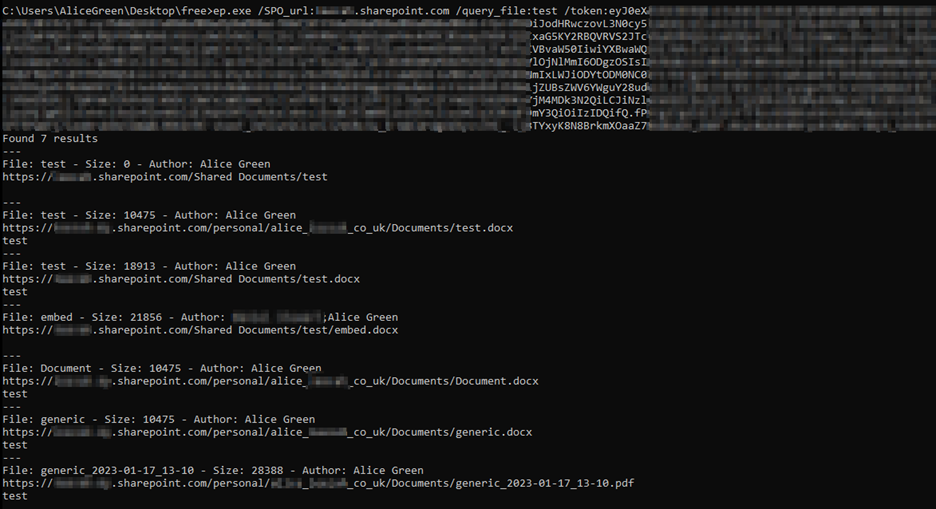
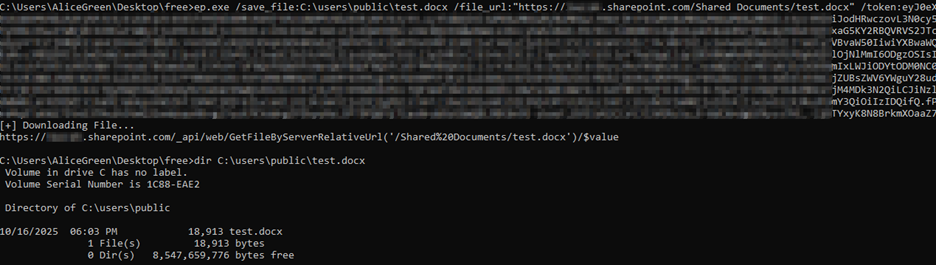
At this point, by running ElephantPoint with the save_file argument as a location to disk and passing the full file_url obtained from the previous step, it is possible to download the files on disk.
ep.exe /save_file:C:\users\test.docx /file_url:https://xxx.sharepoint.com/test.docx /token:eyJxxxx
Obviously in a red team engagement it is not ideal to drop files on disk, which is why we have added a flag to retrieve the file contents as base64.
ep.exe /b64 /file_url:https://xxx.sharepoint.com/test.docx /token:eyJxxxx
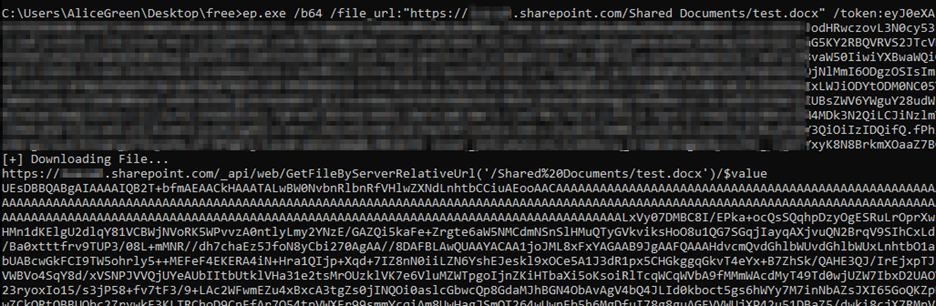
Be aware that obtaining base64 files may not be ideal depending on your C2 of choice, since returned data files are often more than 30% larger than their original size.
You could always use this tool outside of a C2 by proxying the traffic, or not proxy the traffic at all, if Azure conditional access policies (CAPs) allow it. However, it is highly recommended to use proxy in order for the requests to come from the host the access token originated from, for opsec reasons.
ElephantPoint offers a large amount of capability for querying SharePoint, such as FQL, where inspiration has been taken from SnaffPoint.
Detection Opportunities
During engagements, we have noticed that certain security products based on deception fail to detect the search and download from ElephantPoint, however there is Microsoft Defender for Office 365 that can trigger alerts depending on the common keywords threat actors search for in SharePoint.
Download ElephantPoint
ElephantPoint can be found at GitHub below:
https://github.com/nettitude/ElephantPoint